I had to quickly develop a model that will be able to categorize articles across a wide range of financial topics. Developing the corpus manually was not an option and writing custom crawlers for specific news sites would be a tedious process. Having had to create a different corpus previously and lacking such a financial… Continue reading
MySQL High Availability Architectures
Depending on your requirements there are various architectures or ways that you can configure MySQL and MySQL Cluster. Below is just a summary of some of the most frequently used architectures to achieve high availability. MySQL Master/Slave(s) Replication MySQL master to slave(s) configuration is the most popular setup. In this design One(1) server acts as… Continue reading
MySQL Cluster 101
What is MySQL Cluster [blockquote source=”Wikipedia”]MySQL Cluster is a technology providing shared-nothing clustering and auto-sharding for the MySQL database management system. It is designed to provide high availability and high throughput with low latency, while allowing for near linear scalability.[2] MySQL Cluster is implemented through the NDB or NDBCLUSTER storage engine for MySQL (“NDB” stands… Continue reading
MySQL Cluster Getting Started [Redhat/Centos 6]
Installing 1.Download the RPM from MySQL.com [syntax type=”bash”]wget http://dev.mysql.com/get/Downloads/MySQL-Cluster-7.3/MySQL-Cluster-gpl-7.3.5-1.el6.x86_64.rpm-bundle.tar [/syntax] 2.Install the RPM and dependencies [syntax type=”bash”]yum groupinstall ‘Development Tools'[/syntax] [syntax type=”bash”]yum remove mysql-libs[/syntax] [syntax type=”bash”]yum install libaio-devel[/syntax] [syntax type=”bash”]rpm -Uhv MySQL-Cluster-server-gpl-7.3.5-1.el6.x86_64.rpm[/syntax] This installs all the binaries that will be required to configure each component of the MySQL Cluster.
RabbitMQ Exchange to Exchange Bindings [AMPQ]
Overview The exchange-exchange binding allows for messages to be sent/routed from one exchange to another exchange. Exchange-exchange binding works more or less the same way as exchange-to-queue binding, the only significant difference from the surface is that both exchanges(source and destination) have to be specified. Two major advantages of using exchange-exhhange bindings based on experience… Continue reading
Introducing Ark Agent: Current & Historical Stock Market EOD Data Application
Ark Agent is an application used To Collect Current and Historical End Of Day Stock Data leverages Celery and MongoDB to provide end of day and historical market data for stocks. It also uses finsymbols that I wrote a while back Finsymbols Please see the nicely formatted documentation on GitHub for more details Ark Agent Wiki… Continue reading
Intro : Celery and MongoDB
This post serves as more of a tutorial to get a Hello World up and running while using Celery and MongoDB as the broker . Celery has great documentation but they are in snippets across multiple pages and nothing that shows a full working example of using Celery with MongoDB which might be helpful for new users… Continue reading
Obtain Finance Symbols for S&P 500,NASDAQ,AMEX,NYSE via Python
I recently completed Computational Investing Part 1 which further tickled my curiosity. Before completing the course I had started to play around with a few ideas. To do any kind of analytics with finance relating to the stock market you require symbols. Created a simple module that uses BeatifulSoup to parse the list of S & P… Continue reading
Ruby on Rails Note To Self – File Upload App
Wow, this article has been long overdue. I have been learning so much, but have not given this blog the priority it deserves. I refuse to use the excuse of “not enough time” 🙁 Even though , the full code is in my GitHub. This post is a reminder and a compilation of the resources… Continue reading
Email Service For Your Web Application (Amazon SES)
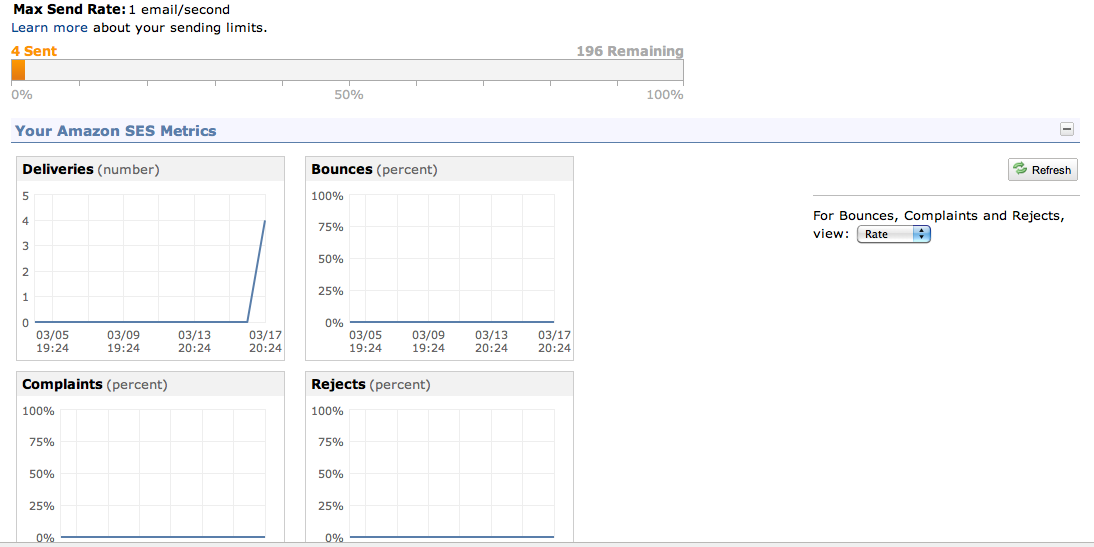
Considering the wide variety of email services currently available and the task of keeping all the moving parts of a start up running. For sending emails why not use one of the services already available ? What did you say … you want to save money ? ..you want do be super “lean” ? Well… Continue reading